The Cuebly app turns an iPhone or Android phone into a personal safety device. The app user can ask for help with one button, set a timer alarm, and receive messages from the platform. In the customer environment, the app is a device like any other personal alarm.
¶ Get started
- For account managers: add the app as a device of the type Mobile App Lite under Devices, and create or choose the app user there.
- For app users: install the app, log in with the details from the welcome email and follow the onboarding.
¶ What is in the app
The bottom bar has:
- Home: the Send help! button, the Available switch and, when a timer runs, the timer banner.
- Groups: your Teams, with their members and whether they are available, and your Locations (geofences), with a map and who is present.
- Views: pages with tiles set up by your administrator, for example a quick button that starts a scenario, or instructions. Only shown when your administrator set up custom views.
- Settings: availability, permissions, timer alarm, language, theme and logout. See App settings.
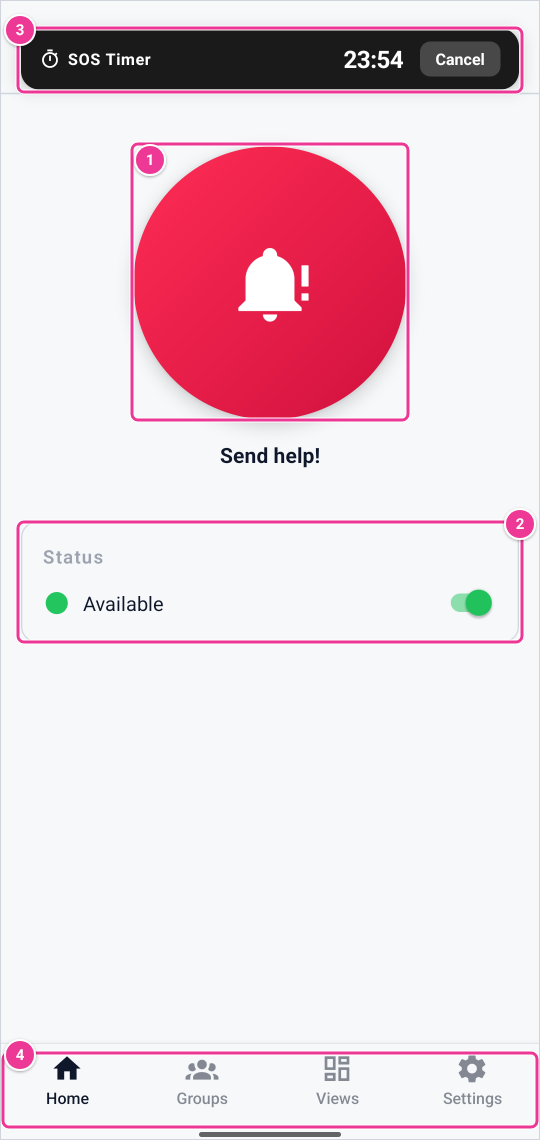
Hold Send help! for 3 seconds to send an alarm (1). Switch your availability under Status (2). A running timer alarm shows at the top, with Cancel (3). The bottom bar (4) leads to Groups, Views and Settings.
¶ What you can do
- Ask for help: hold Send help! for 3 seconds. See Send an alarm with the app.
- Set a timer alarm: see Timer alarm.
- Choose whether you receive messages: the Available switch. See Availability, presence and connection.
- Read messages: messages from the platform appear at once. Tap OK to confirm you read them.
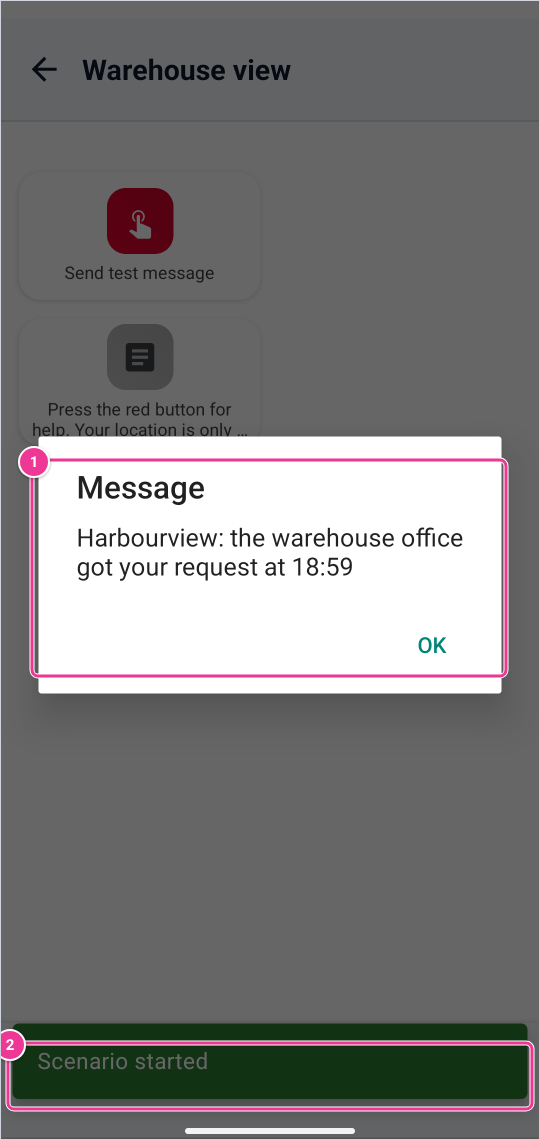
The app confirms that the scenario started (2). A text message from a scenario or from the platform shows as a dialog; tap OK to close it (1).
¶ Is the app online?
The app tells the platform regularly that it is still running (a heartbeat): about every minute while the app is open, and about every 15 minutes when it runs in the background. The platform shows the app as online or offline. The app counts as offline when its connection to the platform closes, for example when the platform has not heard from it for a while. Phones decide themselves how often an app may run in the background, depending on battery, memory, charging and use. So an app in the background can switch between online and offline.
Messages and assistance requests reach apps that are online. That is why the onboarding asks to let the app run in the background.
¶ Languages
The app has the same 10 languages as the platform. Choose the language in Settings; it does not depend on the language of your phone. See Supported languages.