¶ Emerit e-WG100
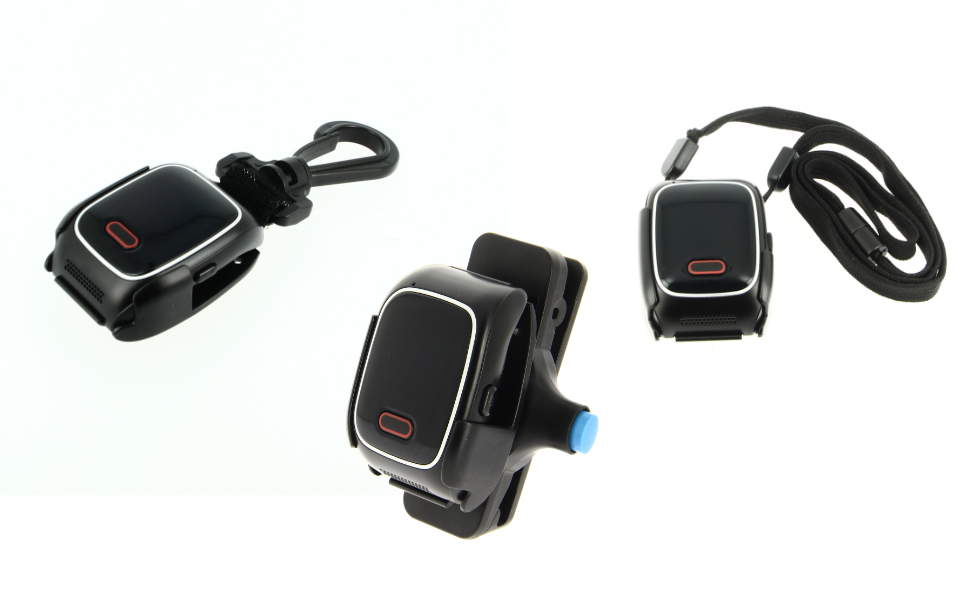
The Emerit e-WG100 is a personal alarm device from the manufacturer Magneta. It can be worn using various accessories, like a wristband, belt clip and carbine hook.
| manufacturer | Magneta |
|---|---|
| device type | Emerit e-WG100 |
| protocol | SIA-DC09 |
| size | 58 x 42 x 16 mm |
| weight | 53 g |
| battery capacity | 650 mAh |
| IP rating | IP65 |
| SIM slot | nano SIM |
| communication | GSM (900 / 1800 MHz), WCDMA (2100 B1 / 900 B8 MHz), FDD-LTE (B1 / B3 / B7 / B8 / B20), Wi-Fi |
| speech and sound | microphone, speaker |
| vibration | yes |
¶ Features
| Category | Feature | Available | Notes |
|---|---|---|---|
| alarm | SOS | yes | SOS button or side button |
| Low priority SOS | yes | SOS button or side button | |
| man down | yes | tilting, non movement | |
| timer | no | ||
| rip cord | no | ||
| proximity | no | ||
| communication | voice | yes | two way |
| on screen message | yes | using SMS | |
| tracking | satellite | yes | GPS, Glonass, A-GPS |
| beacon | yes | Wi-Fi (802.11n), Bluetooth (3.0) | |
| others | battery event | yes | low battery |
| charging event | yes | docked, undocked | |
| quick button | no |
¶ Configuration options
The platform offers an easy to use configuration interface to configure this device over the air. Every configuration option available in the Emerit device is supported through the Cuebly platform.
¶ Settings to connect to the platform
Note: Emerit devices are fully integrated with the Cuebly platform. For the best experience, don't use the Emerit console directly, but add your Emerit device to Cuebly. This will make it possible to fully configure your Emerit device through the Cuebly platform.
Follow the Emerit quick start guide to connect the Emerit e-WG100 to the Emerit Console. Enable the Alarm monitoring server feature in the Emerit Console. Configure the alarm monitoring IP server:
| IP address or URL | app.cuebly.com |
|---|---|
| port | 8486 |
| events to be transmitted | alerts |
| system status | |
| charge status | |
| low battery | |
| tracking | enabled |
| tracking permanent | enabled |
| tracking test interval | 1-19 minutes |
| backup server | optional |
| backup sms | optional |
Configure the IP server settings:
| SIA DCS | enabled |
|---|---|
| add the message ending timestamp | disabled |
| standard format | enabled |
| GPS coordinates format | DD Decimal degrees |
| Extended data standard format selection | [B] battery level |
| [H] event timestamp | |
| [D] device IMEI | |
| [C] wifi/bluetooth location beacon identifier | |
| [M] GPS location accuracy | |
| [O] GPS location timestamp | |
| [S] GPS location speed | |
| [V] GPS location validity | |
| [Z] GPS location altitude |
Validate and save the configurations in the Emerit Console. Reboot the device or download the configuration manually by pressing the power button of the device two times.
¶ Manually upload settings
When the device does not download the latest settings (or can not), the settings must be uploaded manually.
To do this, go to the Emerit Console, login, and validate the settings you would like. A new button appears:
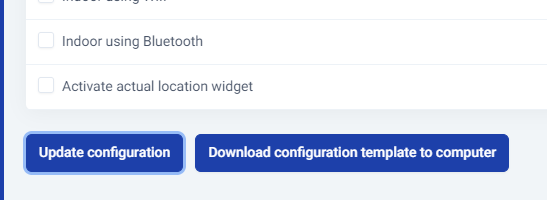
Click “Download configuration template to computer” to download a configuration file.
Connect the charging station to the computer via USB and place the file in Internal shared storage -> Android -> Media -> com.magneta.e_WG100
Then, double tap the power button to use the configuration file.
The settings are now active.
¶ Troubleshooting
Version 2.6.1 of the watch has a known bug where it could enter an infinite reboot loop and the watch is not usable. To fix this, request version 2.4.1 from us. Proceed with turning the device off and place it on the docking connected to your Windows computer. Then, open Update.exe. It will install the version on your watch and it will download the latest version automatically afterwards.