Use the timer alarm when you go into a situation where you might not be able to call for help yourself, for example a visit alone, work at height or a walk to the car park at night. You set how long you expect it to take. If you do not cancel the timer in time, the app raises an alarm.
¶ Start a timer
- Open Settings in the bottom bar.
- Tap Set timer alarm.
- Choose a duration with the dial, or tap 30m, 1h, 2h or 6h. You can choose from 1 minute to 6 hours.
- Tap Start timer.
A banner on the Home screen shows the time left.
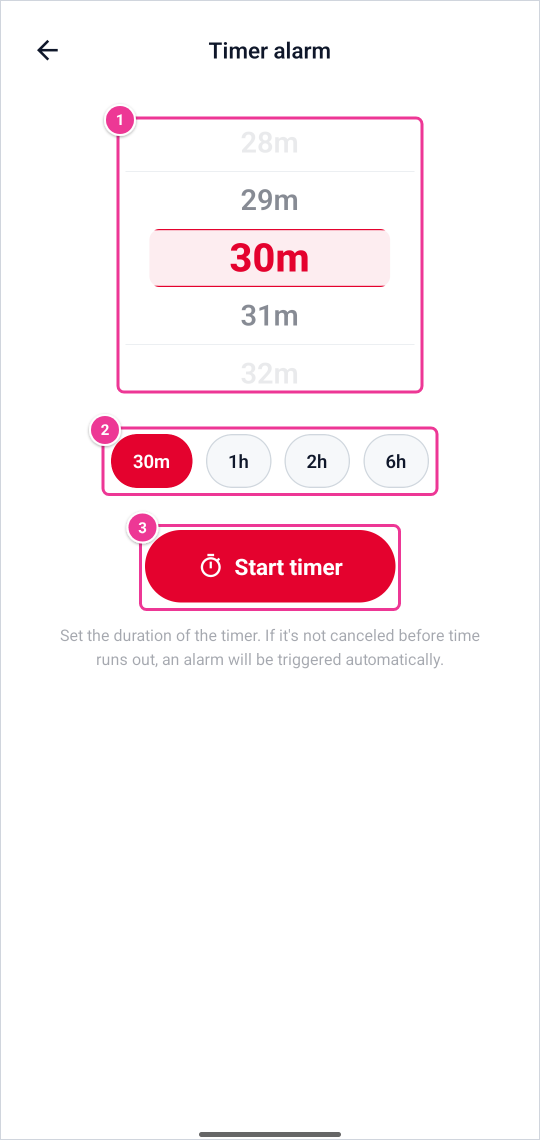
Choose how long (1) or tap a quick choice (2), then Start timer (3). If the timer is not cancelled in time, an alarm goes out.
¶ Cancel the timer
When you are safe, tap Cancel on the banner on the Home screen. The timer stops at once.
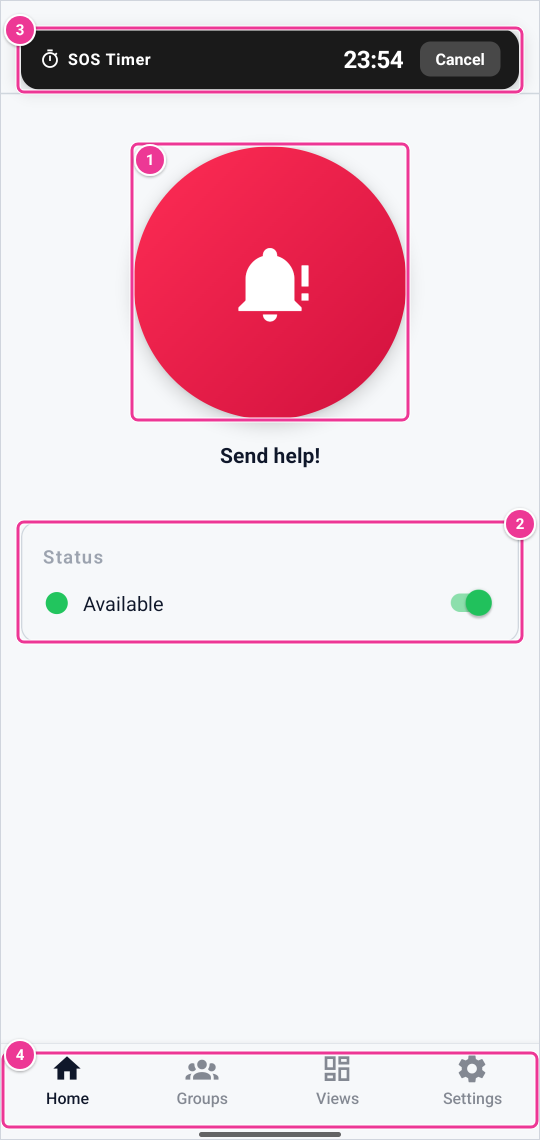
Hold Send help! for 3 seconds to send an alarm (1). Switch your availability under Status (2). A running timer alarm shows at the top, with Cancel (3). The bottom bar (4) leads to Groups, Views and Settings.
¶ What happens when time runs out
- One minute before the end, the app shows a notification that asks you to cancel the timer if you are OK.
- At the end, the platform raises a Timer alarm. The platform keeps the time itself, so the alarm also comes when your phone is off or has no connection at that moment.
- The alarm appears in Alerts in the customer environment, with the device and the time, and can start scenarios with the trigger Timer.
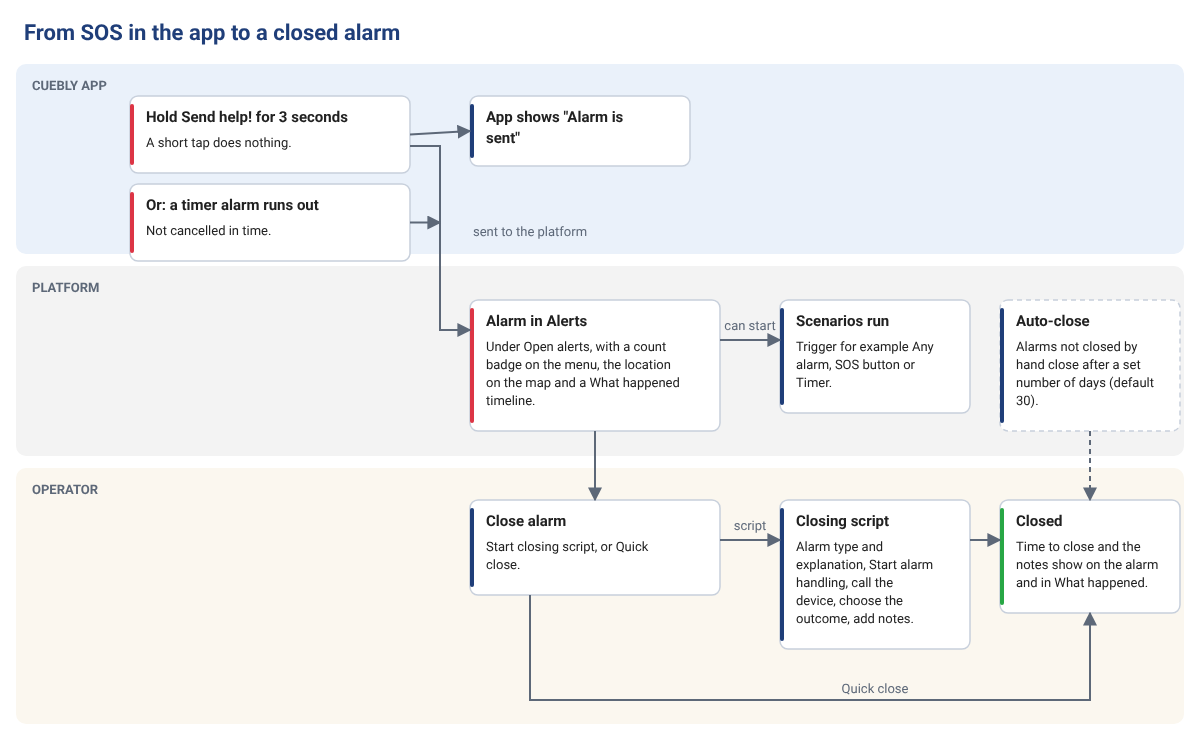
How an alarm from the app is handled and closed. In the app, you hold Send help! for 3 seconds or a timer alarm runs out; the app shows "Alarm is sent". On the platform, the alarm appears in Alerts and can start scenarios; alarms that nobody closes close automatically after a set number of days (30 by default). An operator closes the alarm with Close alarm and the closing script, or with Quick close; the closed alarm shows the time to close and the notes.
¶ For administrators
- A timer alarm is an alarm like any other. Handle it in Alerts, and use the scenario trigger Timer to warn colleagues or an alarm receiving centre.
- A scenario can also start or stop the timer on a device with the action Toggle timer alarm.
- In DevCon, the feature Timer alarm has two switches per app device: Enabled (whether the timer is on when the app starts) and Change device configuration (whether the user may change it in the app).